
Little Victories in Learning Try the demo (opens in a new tab)

Coming soon: the Little Victories IEP Caseload Organizer

Your caseload binder, without the binder.

Take IEP goal data on your phone, watch the graphs build themselves, and keep every due date, accommodation, and family contact in one place you can actually find.

Join the waitlist for the founder's price and pre-launch sign-up and access.

Curious first? Look around the demo (opens in a new tab). No sign-in needed.

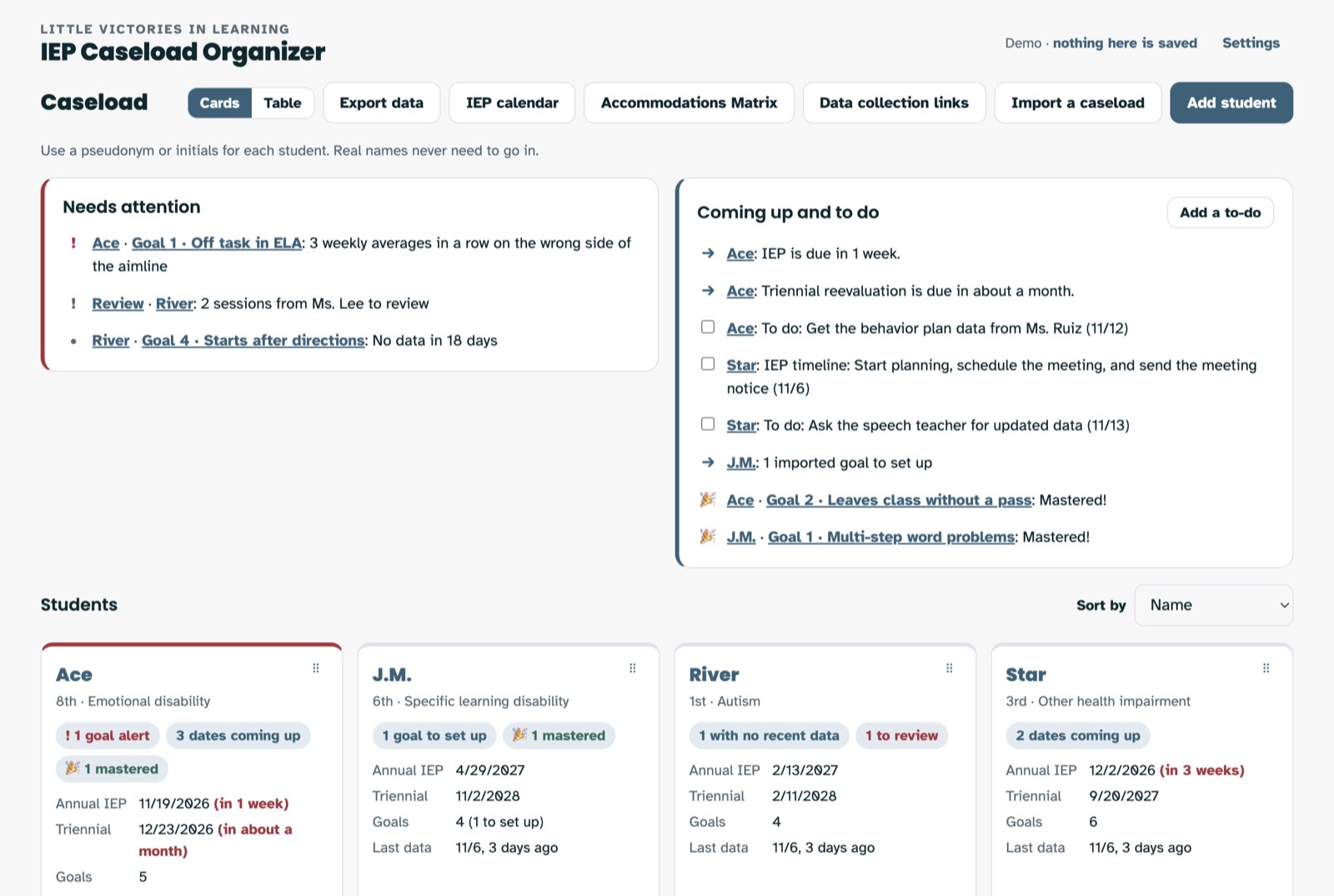
The caseload page. A Needs attention box and a Coming up and to do box list goal alerts, IEP due dates, to-dos, and mastered goals, above a card for each of four made-up students.
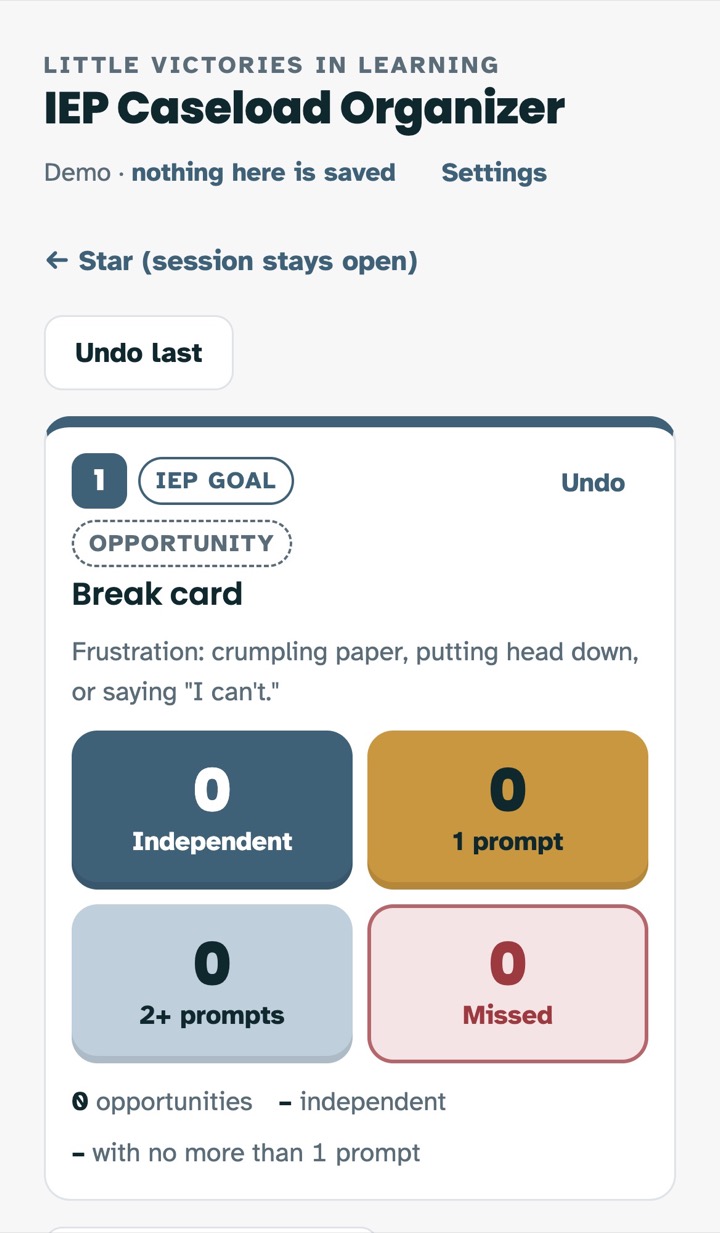
Collecting data on a phone for a goal called Break card, with four big buttons: Independent, 1 prompt, 2+ prompts, and Missed.

Made for classroom teachers

Plain words, big buttons, and nothing that assumes you have ABA training. It's built from the same thinking as the IEP Goal Tracking Sheets, so it should feel familiar from day one.

Take data right where it happens

Tap instead of tally, on your phone, tablet, or computer. Count it, time it, track prompts, run intervals, or make up your own measure.

  • Collect on several goals, and up to three students, at once
  • Have paper sheets? Snap a photo and the numbers fill in for you to check
Prompt-level buttons for a goal on a phone.
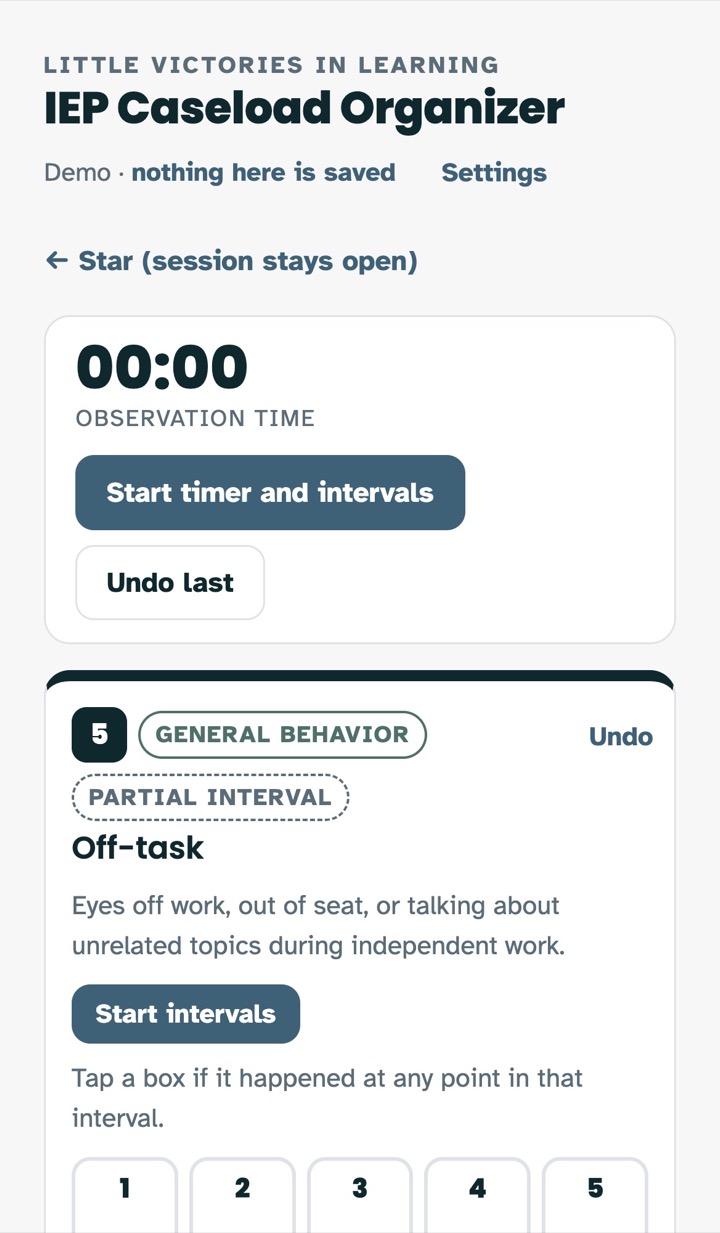
A timer and numbered interval boxes for an off-task goal on a phone.

A custom link for every para and co-teacher

Give each person who helps you their own link or QR code, with a view set up just for them. They open it and start collecting. No account needed.

  • Pick exactly which students and goals they see
  • Tell them what counts, in your words, right beside each goal
  • Choose whether they can see need-to-know info, accommodations, or services
  • Send their data straight to your graphs, or review it first
  • Turn a link off anytime
Setting up a data collection link for a para named Ms. Lee: two of River's goals are checked with a What counts note beside each, and the teacher has chosen to review the data first.

Graphs that build themselves

Every session lands on a line graph with a clear title that says exactly what it shows. Add a goal line, aimline, or trendline with a checkbox.

If a student's data drifts off track, the app tells you in plain words. Download any graph for the IEP meeting.

A line graph of a break card goal by weekly average, with a dashed goal line at 80 percent, a dotted aimline, and a trendline projected forward.

Know what's coming before it sneaks up

See IEP dates, triennials, meetings, and to-dos across your whole caseload. Enter an annual IEP date and the app counts back the steps for you. You can change every step to match your school.

A month calendar showing IEP meetings, IEP due dates, to-do counts, and school holidays.

One page with what the whole team needs

Enter a student's details once and get an IEP at a Glance, ready to print for the teachers and providers who need it. See accommodations for a whole class in one Accommodations Matrix.

An IEP at a Glance page for a made-up student, with case details, need-to-know items, classroom and testing accommodations, and a summary of goals.

A place for the good stuff, too

Jot a quick note and mark it "Something positive." When a student masters a goal, the app celebrates with confetti. It's a small thing, and you both earned it.

Anecdotal notes for a made-up student, including two marked Something positive, such as naming the letter R without any help.

Family contact log

Every call, email, and note home, ready to print.

Bring your data with you

Paste or upload from a spreadsheet, so you don't start over mid-year.

Take your data with you

Copy or download it to a spreadsheet whenever you need it.

Hi, I'm Mackenzie.

I had an IEP before I ever wrote one. Years later, I was the teacher in survive-today mode: paperwork on weekends, putting out fires, and starting over every September.

What kept me going were the little victories, and one of the best was graphing a student's growth and seeing the line finally start to climb. I built this app so more teachers get to see that line, with less paperwork in the way.

Where this comes from

  • Taught at an alternative school as both the general and special education teacher
  • Led the special education program at a K-7 school
  • Spent four years as a behavior specialist across 15 elementary schools
  • Teaches graduate courses on inclusion
  • Doctorate in Educational Leadership
More about me

Pseudonyms only

Use a pseudonym or initials for every student. The app is built so real names never need to go in.

Help me build it

You're not just waiting for launch. People on the waitlist get the founder's price, pre-launch sign-up and access, and a real say in what gets built, if they want it. Hit reply to any email and tell me:

  • What do you hope this app can do for you?
  • What in the demo should change?
  • What should I add, and what should I take out?

Try it before you sign up

The demo has four made-up students and every data type. Tap anything. Nothing you type there is saved or sent anywhere.

Open the demo (opens in a new tab)

Thanks for being part of this.
Mackenzie
Little Victories in Learning

Save your spot

Get the founder's price and pre-launch access, and help decide what this app becomes.